Modular Face Recognition Locker System for Malls | Scales With Peak Foot Traffic
Face Recognition Locker System for Malls: Main Plus Auxiliary Cabinets Scale With Peak Foot Traffic
Shopping malls have a foot traffic problem, especially on weekends. Customers line up for lockers with bags in hand, wait, and some simply walk out. That is not lost locker fees. That is lost sales, repeat visitors, and goodwill.
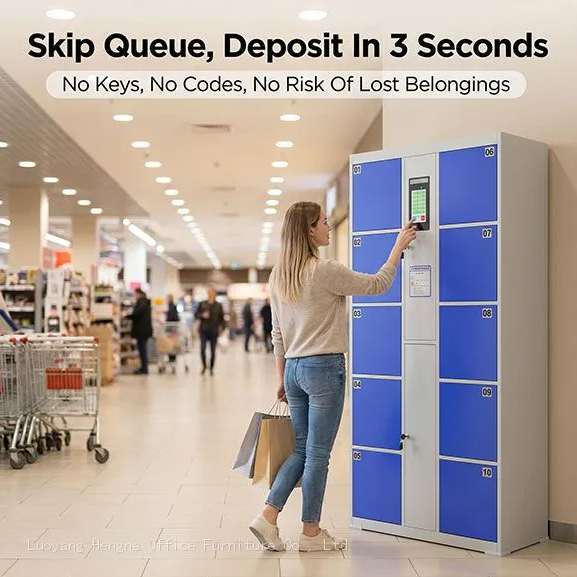
This face recognition locker system for malls removes the bottleneck. A shopper walks up, the camera scans their face, the door opens. One second. No barcode to print, no code to enter, no coin to slot. Drop off the bags, shop, come back, scan the face, grab the things. Touchless, paperless, queue-less.
But mall traffic is not steady. Weekdays and weekends differ by double. Holidays can triple it. A fixed-size locker bank either sits half-empty or runs out. That is why these lockers work as a main-plus-auxiliary system. This guide explains the system, the peak-hour math, the technology details, and how to plan a rollout.
Main Plus Auxiliary Cabinet Design
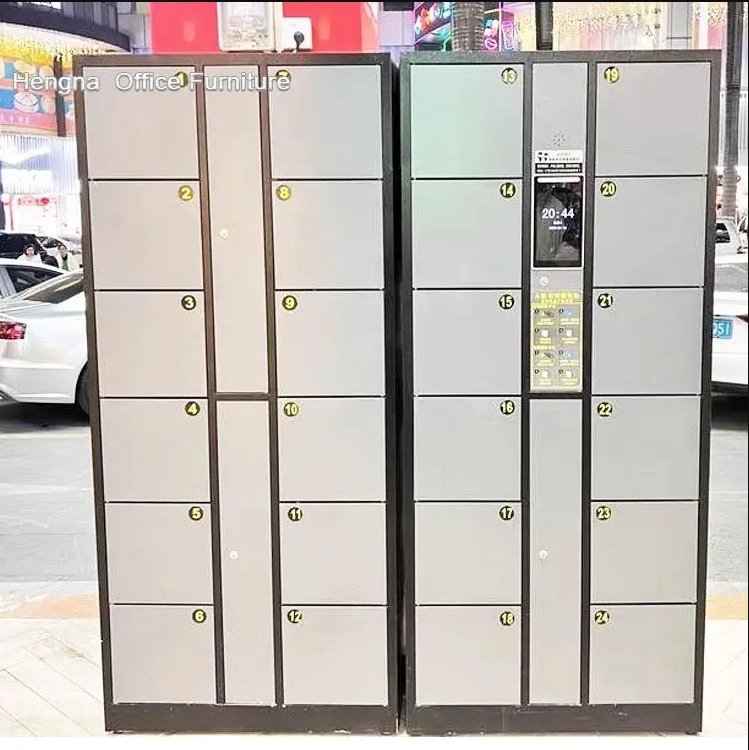
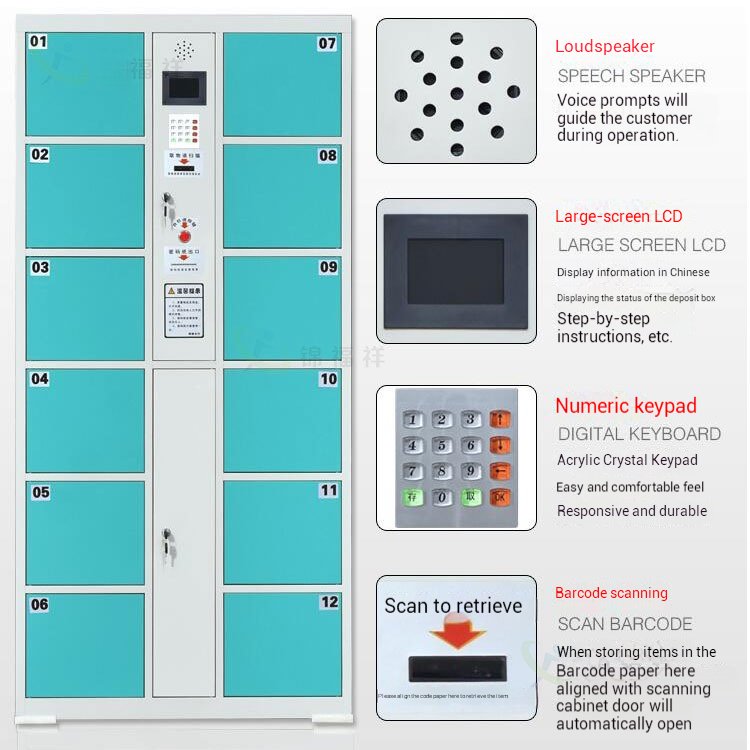
The main cabinet carries the face recognition screen and the controller. Auxiliary cabinets are simply the boxes with electronic locks: no screen, no processing. One main cabinet drives several auxiliary cabinets. Start with 6 doors, add more later, without replacing the whole unit.
In practice:
- A large group (one main plus three or four auxiliaries) serves the busiest entrance with 30 or more doors.
- A smaller group serves quieter floors.
- Foot traffic grows next season? Add another auxiliary cabinet.
The modular structure means the mall buys capacity where demand exists, instead of over-investing across every entrance.
Specifications
All models share the same 1800 mm height and 460 mm depth. Door options per unit: 6, 10, 12, 18, 24, or 36.
- The 6-door version uses 555 mm tall compartments for large items.
- Standard doors measure 300 mm.
- Material: cold-rolled steel with electrostatic powder coating.
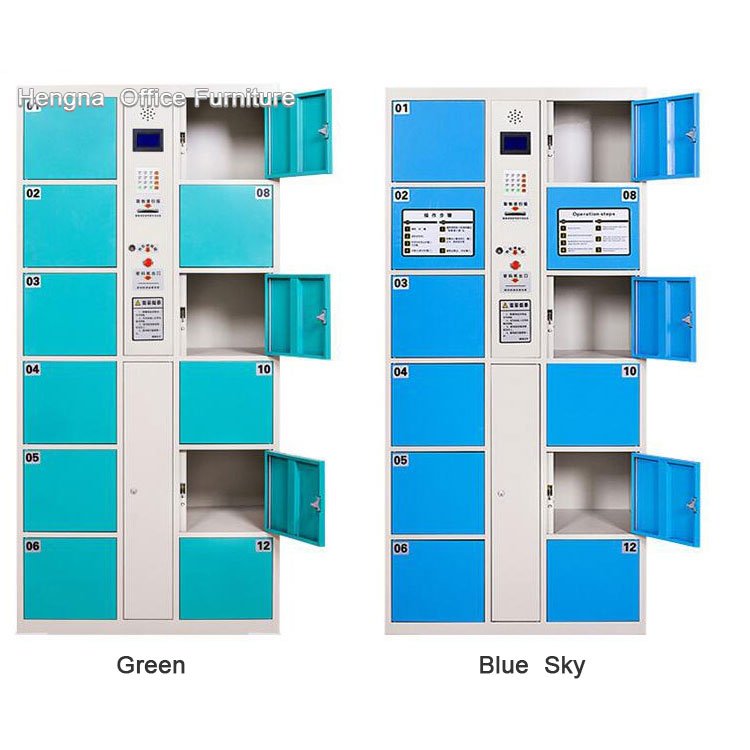
- Colors: 10 standard, plus custom finishes.
- Locking: AI face recognition with a mechanical backup key on every door.
- Power: standard mains, plug and play.
Face vs Barcode: The Peak-Hour Difference
Barcode lockers work fine with light traffic. At peak times, each person takes about fifteen seconds: wait for the ticket, take it, close the door, keep the ticket safe. Ten people in line is a two-minute wait. A lost ticket or a scanner that will not read means a staff member has to walk over, reset the unit, and the entire line pauses.
Face recognition eliminates the ticket entirely. Walk up, scan, open. One second. No paper, no print head to maintain, no tickets to replace or scan at pickup. In a busy mall on a Saturday afternoon, that difference saves hundreds of customers from waiting across the day.
The math is straightforward. At 15 seconds per user, a single barcode locker serves 240 users per hour at 100 percent utilization. At 1.5 seconds per user, the same locker serves 2,400 potential scans per hour. Even at a realistic 30 to 40 percent utilization, the face system removes the queue before it forms.
AI Liveness Detection
Security matters in a public system used by strangers. The system distinguishes a real face from a photo or video.
It maps facial geometry: eye spacing, cheekbone height, face curvature. Even twins register differently. A printed photo held up to the camera will not open a door, and a video on a phone screen will not fool the liveness check.
This matters in malls because the lockers hold shopping bags, coats, and personal items in a public area. The registration and matching loop keeps each compartment tied to the registered user.
Low-Light and Power-Outage Behavior
Mall lockers often sit in darker spots: basement parking entrances, corridor corners, zones with mood lighting. The main cabinet includes a built-in LCD fill light, and the AI algorithm handles dim conditions. It operates in all but total darkness.
Every door has a mechanical key backup. If the power goes out, staff opens any door manually. When power returns, the system restarts on its own. Nothing to reset, no lost data.
Where the System Works Best
High-traffic entrances and main corridors. These get the biggest crowds. A main cabinet with three
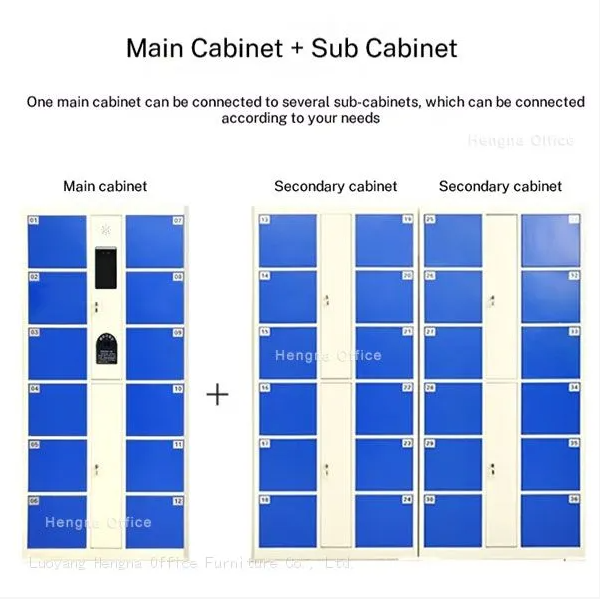
or four auxiliaries serves 30-plus doors in one spot. People flow quickly, and no backed-up line blocks the walkway.
Supermarket and grocery exits. Shoppers free their hands right after checkout. Face recognition is faster than fumbling for a receipt or remembering a code. The touchless scan also helps in food-prep areas where staff handle fresh products.
Cinema and entertainment zones. Quick in-and-out traffic. People store coats and bags before a movie and pick them up within two hours. No paper tickets to lose in a dark theater.
Family and children’s zones. Parents carry strollers, toys, and diaper bags. A touchless locker bank lets them drop everything and focus on the kids.
Transit-connected malls. For shoppers who arrive with luggage or purchases from other stops, quick access storage makes the mall a more attractive transfer point.
Planning the Rollout
Step 1: Estimate peak demand. Count the maximum simultaneous users at the busiest entrance on a holiday weekend. That is the target number of compartments.
Step 2: Choose group sizes. One main cabinet plus four auxiliaries = roughly 30 accessible doors in one location. Adjust based on measured demand, not member counts.
Step 3: Position for visibility and light. Place units where staff can see them and where ambient light plus the LCD fill light covers the scan zone.
Step 4: Plan for growth. Because auxiliary cabinets stack onto the same controller, add capacity in small increments instead of replacing banks.
Maintenance and Operations
- No ticket paper. Nothing to refill, no print head to clean, no ticket jams.
- Daily cleaning. Wipe the scan area and doors with a damp cloth.
- Firmware updates. The controller supports updates for the recognition algorithm.
- Backup keys. Store master keys with the operations office, not in the locker room.
- Revenue data. The dashboard tracks usage per cabinet, so the mall knows which entrance needs more capacity before customers complain.
Ordering Information
- MOQ: 1 unit, sample orders welcome
- Lead time: 7-15 days standard; 20-30 days for custom colors or dimensions
- Warranty: 1 year full unit, 2 years main board
- OEM: silk-screen logo, custom colors, custom UI languages (English, Arabic, and more), custom packaging
- Certification: CE certified, export documentation included
- Payment: mainstream international methods accepted
Installation
Plug and play. The main cabinet arrives pre-assembled. Auxiliary cabinets connect to the main with a single cable: no wiring or complex setup. A remote installation video is included.
For overseas projects, knockdown (KD) packaging is available for lower sea freight: moisture film, corner protectors, and part-by-part packing.
Mall locker demand is spiky by nature, and a modular face recognition system is the only locker architecture that scales with that spike. The touchless scan removes waiting and paper; the main-plus-auxiliary design adds capacity without replacing hardware; the liveness detection keeps public storage secure. For mall operators, the result is a queue that disappears, a service that pays for itself, and customers who leave with their hands free and their bags safe.
Send your requirements, quantity, colors, logo needs, or custom dimensions to the Luoyang Hengna sales team. Quotes are returned within 24 hours.